How and Why to Use a Gimbal for Photography and Video
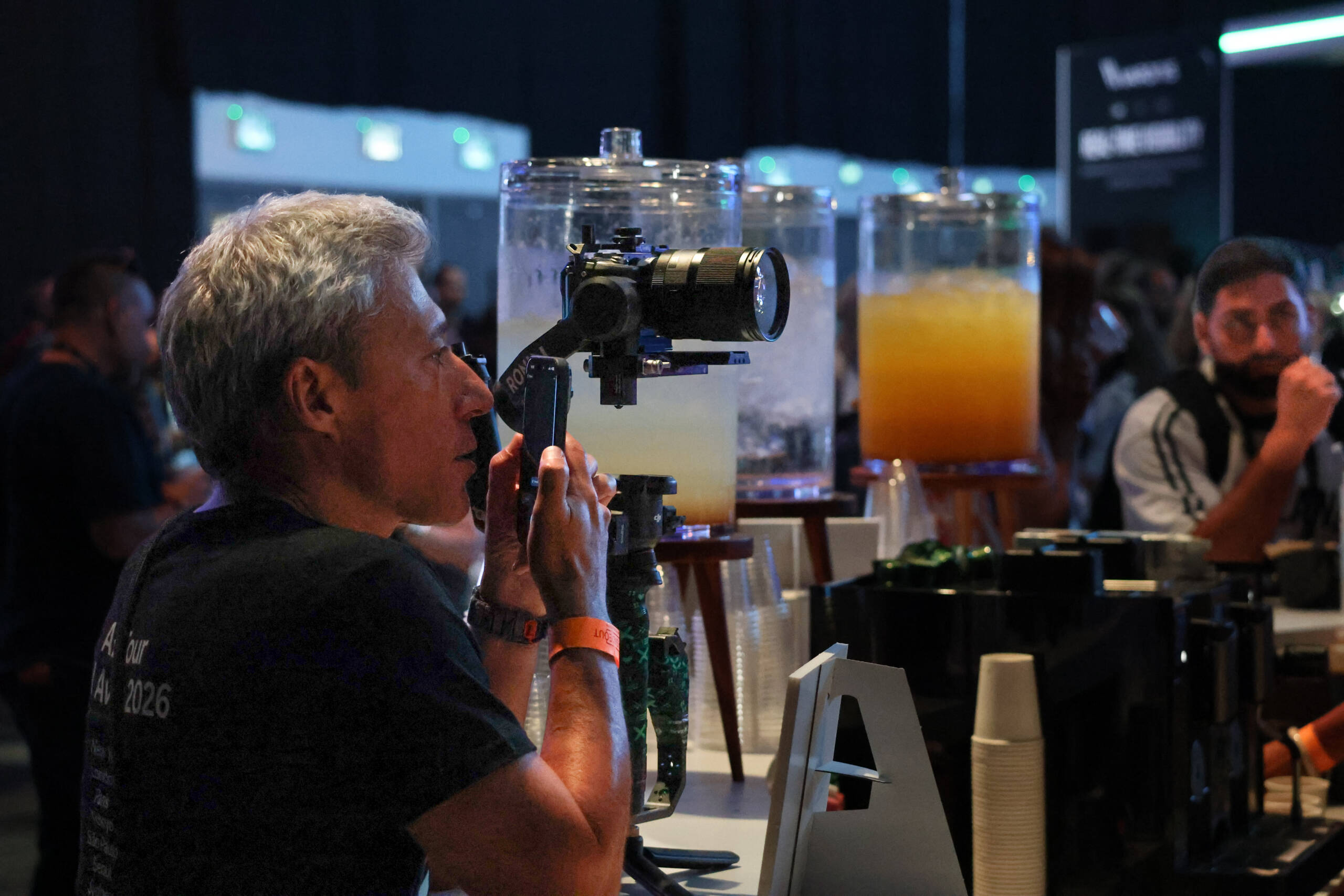
A handheld gimbal has quietly become one of the most useful pieces of gear a working photographer or videographer can own. It doesn’t replace a tripod, and it doesn’t replace good glass — but it solves a problem neither of those can: keeping a shot smooth while you’re moving.
What a Gimbal Actually Does
A gimbal uses motorized brushless motors on three axes (pitch, roll, and yaw) to counteract camera shake in real time. Small sensors detect the tiniest movements of your hand or body, and the motors correct for them dozens of times per second. The result is footage that looks like it was shot on rails or a dolly, even when you’re walking through a crowd.
This is different from in-body or lens-based stabilization, which corrects for small vibrations but struggles with the larger movements that come from walking, running, or panning. A gimbal is built specifically for that larger-scale motion.
Why Use One
Walking and tracking shots. If you’ve ever tried to walk alongside a subject while filming handheld, you know the footage comes out bouncy no matter how careful you are. A gimbal turns that into a smooth tracking shot without a dolly track or slider.
Event and documentary work. In fast-moving environments — conferences, weddings, live events — you don’t get a second take. A gimbal lets you move freely and reframe on the fly while keeping the shot usable.
Low-light video. Slower shutter speeds needed in dim environments make handheld shake far more visible. Mechanical stabilization compensates for that in a way that software stabilization in post can’t fully replicate without cropping or warping the frame.
Freeing up creative movement. Once you trust the stabilization, you start using movement itself as a storytelling tool — slow reveals, following action, subtle push-ins — that would be too risky to attempt handheld.
How to Use One Well
- Balance it first. Every gimbal needs to be balanced for the specific camera and lens combo before you turn it on. Skipping this step is the number one reason people think their gimbal “doesn’t work.”
- Move from your legs, not your arms. Bend your knees slightly and walk with a soft, rolling step. The gimbal handles small vibrations; you handle the big, slow movement.
- Use follow modes deliberately. Most gimbals offer pan-follow, pan-and-tilt-follow, and full lock modes. Lock mode is great for static framing while you walk; follow modes are better when you need to reframe as you move.
- Don’t fight it. If you make a sudden, sharp movement, the gimbal will fight to correct it and the footage will show a slight overshoot. Smooth inputs produce smooth outputs.
- It’s not just for video. Many photographers use gimbals for slow-shutter handheld stills — panning shots, low-light interiors, or long-exposure light trails — where a tripod isn’t practical but a steady hand alone won’t cut it.
The Trade-Off
Gimbals add weight, setup time, and battery management to your kit. For a quick grab-and-go stills shoot, they’re often overkill. But for anything involving sustained movement — interviews on the move, event coverage, run-and-gun documentary — the smoothness they add is hard to replicate any other way, in camera or in post.